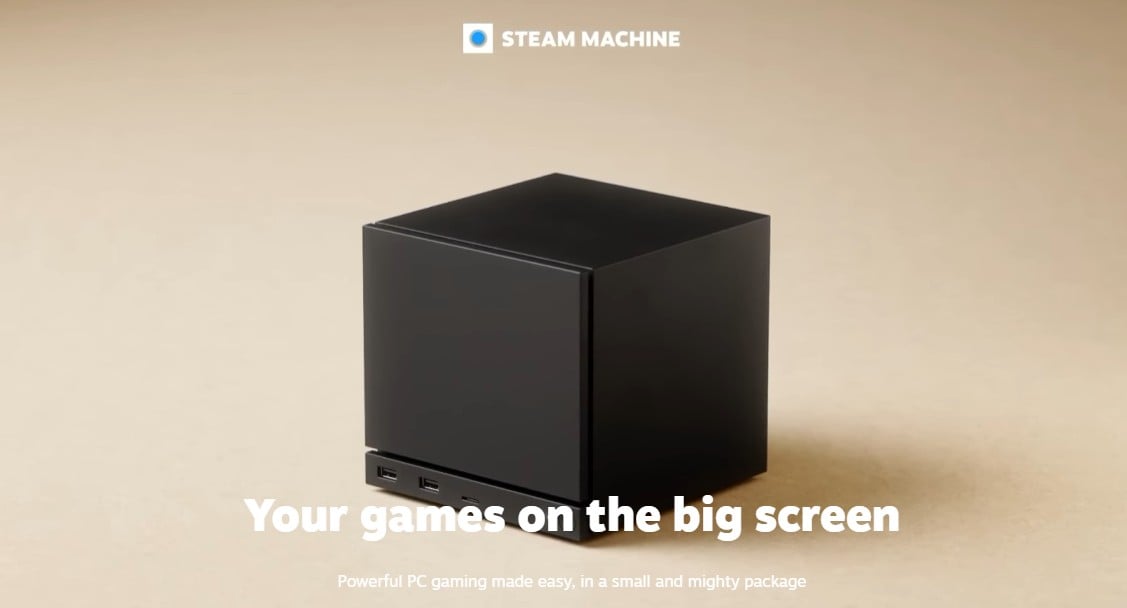
Okay, we know you all have been waiting for this one………… WE NEEEEED to talk about the Steam Machine in the least glamorous way possible, because this is exactly the kind of hardware launch where the details matter more than the pitch. Valve’s new small-form-factor PC is interesting, and in a better market it might have been an easy recommendation. Right now, it looks more like a device we need to evaluate with a calculator in one hand and ProtonDB open in the other.
The headline problem is simple. The base model starts at $1,049 for 512GB of storage, and that price does not include a controller. That immediately changes who this thing is for. What could have been a straightforward entry point into PC gaming is instead landing in a range where we’re allowed to be picky.
The price is the first and biggest warning sign
Let’s not dance around it. A $1,049 starting price is steep for a machine positioned as an approachable SteamOS desktop. Valve has indicated that memory and storage costs have made pricing difficult, with RAM and SSD pricing still under pressure after the AI server buildout pushed up demand for DRAM and NAND through 2024 and into 2025. That may explain the cost, but it doesn’t make the value equation easier for us.
This matters because the Steam Machine does not arrive as a premium, no-compromise box. It arrives as a compact PC with tradeoffs. If Valve had hit a much lower price, those compromises would be easier to forgive. At four figures, we start comparing it not with dream hardware, but with genuinely competitive prebuilt PCs and self-build options.
That’s the lens we should use here:
- At around $1,049, the value here becomes the central question.
- No bundled controller (come on…) means the real entry cost can be higher.
- The machine sits in a price band where buyers can find alternatives.
For a lot of us, that alone moves this from impulse buy to wait-and-see hardware.
SteamOS is a strength, but Linux still asks things of us
SteamOS is a huge part of the appeal. Valve has spent years making Linux gaming more practical, and Proton remains one of the most important pieces of software in PC gaming. If you’ve followed what Steam Deck did for Linux visibility, you already know why this matters. The Steam Machine benefits directly from that work, and SteamOS 3.6 and later updates have kept chipping away at basic quality-of-life pain points, from display support to desktop responsiveness.
But we shouldn’t confuse “better than before” with “friction-free.” This is still a Linux PC, and that means compatibility limits, setup quirks, and occasional workarounds are part of the package. If most of your library lives on Steam and you mainly play single-player games, you may have a pretty good time. If your habits revolve around anti-cheat-heavy multiplayer games, we’ve got a bigger problem.
Several major online titles are known not to work because Linux cannot support certain kernel-level anti-cheat implementations, or because the publisher has chosen not to enable Linux support. That includes games named in early coverage such as Fortnite, Marathon, Destiny 2, Call of Duty, and League of Legends. For some players, that’s not a footnote. That’s the entire buying decision.
There’s also the storefront question. If your library is split across Epic, GOG, and other PC launchers, you can usually get there, but it may take extra steps. Tools like Heroic Launcher, Lutris, and NonSteamLaunchers can help bridge that gap. That’s useful, and honestly pretty impressive, but it’s still more involved than the average console-like buyer may expect. If you’re already comfortable tweaking a gaming PC setup, that friction may feel manageable. If not, it adds up fast.
The hardware looks more practical than powerful
Here’s where we need to separate “can run games” from “great buy for the money.” The Steam Machine uses a custom AMD platform built on Zen 4 for the CPU side and RDNA 3 for graphics. That is not ancient tech, but it is also not current top-tier AMD architecture. More importantly, the real-world positioning appears closer to lower-end gaming PCs than to the kind of desktop muscle a four-figure sticker can imply at a glance.
Early benchmark framing places the system in the neighborhood of low-end graphics card performance, including comparisons to PCs using something like an Nvidia RTX 5050. That means expectations matter. We should not go into this expecting a tiny box that casually bulldozes every new AAA release at high settings. In 2025 terms, that kind of performance tier usually means 1080p with careful settings choices, heavy use of FSR, and a willingness to accept that ray tracing is often the first thing we turn off without ceremony.
There’s also a memory caveat. The system is described as using a single 16GB RAM module rather than a dual-channel 2x8GB configuration. On a gaming PC, that can reduce performance, especially in bandwidth-sensitive workloads and on systems where the GPU side is already fighting for every bit of throughput it can get. It’s not the sort of spec detail marketing departments put in bold, but it’s absolutely the sort of detail we should care about before spending this much.
So what does that mean in practice?
- Older games should be a comfortable fit.
- Indie games and smaller releases are likely a natural match.
- New, demanding games may require aggressive settings cuts and upscaling.
- Performance tuning will probably be part of the normal ownership experience.
That last point is key. If we enjoy tweaking graphics options, this may feel normal. If we wanted a simple plug-it-in-and-go machine, the Steam Machine starts losing ground fast. For readers cross-shopping compact boxes, this is the same tradeoff we keep running into with any small form factor gaming PC, thermals, noise, and power budgets always collect their debt somewhere.
Do not rely on Valve’s verification label alone

If you’ve spent time around Steam Deck owners, you’ve probably heard this one already. Valve’s official compatibility and verification labels can be helpful as a starting point, but they are not always the final word on how a game actually performs or whether it can be made to run properly.
That’s why ProtonDB matters so much. The site collects reports from users running games through Proton on Linux, and it often gives a clearer picture of what to expect, including launch tweaks, performance notes, and workarounds. If we’re buying a Steam Machine, ProtonDB should be in our bookmarks on day one.
There’s a funny little irony here, and longtime PC players will appreciate it. Sometimes a game marked unsupported can still be coaxed into working, while a supposedly supported title may run badly enough that we wish someone had been more honest. That’s classic PC gaming energy, for better and worse. We’ve seen the same pattern on Steam Deck compatibility checks, where the badge tells us less than ten minutes of real user reports.
| Check | What it tells us | Why it matters |
|---|---|---|
| Steam compatibility label | Valve’s official support status | Useful first pass, but not always reliable for performance |
| ProtonDB reports | Community-tested results and fixes | Often more practical for real buying decisions |
| Storefront availability | Whether the game is on Steam or elsewhere | Non-Steam libraries may need extra tools and setup |
| Anti-cheat support | Whether multiplayer systems work on Linux | Can instantly rule out certain competitive games |
If you’re unsure about a game, check before you buy. That sounds obvious, but on Linux hardware it can save us real money and real frustration.
This may be a better backlog machine than a showcase machine
There’s a familiar pattern here for anyone who watched the Steam Deck evolve. On paper, the hardware can look modest. In practice, certain games run better than expected, especially when developers optimize well or when we’re willing to make smart settings compromises. Recent examples cited in early discussion include Pragmata and Resident Evil: Requiem performing surprisingly well on Valve’s handheld hardware.
That does not guarantee identical results on this desktop, but it does suggest the same broader rule: Valve hardware tends to shine when expectations are calibrated correctly. The Steam Machine could be great for chewing through a giant backlog, revisiting older PC games, or scooping up smaller titles during sales. That is a real use case, and for some of us it may be the best one.
What it probably is not, at least at this price, is the obvious new home for every blockbuster release. We need reviews, benchmarks, and a lot more game-by-game testing before we can say that with a straight face. If your backlog already lives in older RPGs, strategy games, emulation, and the kind of indies we buy during every sale like we’re stocking a bunker, the case gets a lot easier.
You may be better off building your own
This is the part where the Steam Machine runs into the oldest problem in PC gaming: sometimes the branded shortcut is not the smartest route. SteamOS 3.8 is now close enough to ready on general PC hardware that building a SteamOS-style box of your own is a very real option.
That matters because if the official machine is expensive and only modestly specced, a custom build starts looking attractive fast. We can target the parts mix we actually want, choose a case size that suits the living room, and decide how much performance we’re willing to pay for.
There are caveats here too. Nvidia support on SteamOS is still described as poor to nonexistent, so AMD remains the safer path for a build intended to mirror Valve’s software experience. Some community members have also experimented with unusual budget hardware such as AMD BC-250 motherboards, though that route is clearly more enthusiast territory than mainstream recommendation.
For most buyers, the comparison is simpler:
| Option | Best for | Main downside |
|---|---|---|
| Official Steam Machine | People who want Valve’s hardware and SteamOS in one package | High price for the performance on offer |
| DIY SteamOS build | Buyers comfortable choosing parts | More setup and more decision-making |
| Standard Windows gaming PC | Broad compatibility and easier multiplayer support | Less of the console-like SteamOS experience |
Should we buy one right now?
If we’re being strict about value, no, not blindly and not at launch pricing. The Steam Machine is interesting because Valve is still pushing on the idea that PC gaming does not have to mean Windows first and desktop second. That’s a fight worth paying attention to. But interesting hardware and good value are not the same thing.
Right now, the Steam Machine looks like a product for a narrow slice of players: people who are excited by SteamOS, comfortable with Linux quirks, not dependent on anti-cheat-heavy multiplayer games, and willing to pay a premium for a compact Valve-made box. That group exists. It’s just smaller than the concept probably deserves.
For the rest of us, the smarter move may be to wait for deeper testing, better pricing, or both. Valve may have built a compelling idea here. The harder question is whether it built a compelling buy, and at $1,049, we shouldn’t answer that one generously. If you’re weighing this against a more flexible budget gaming PC, patience still looks like the sharper play.